
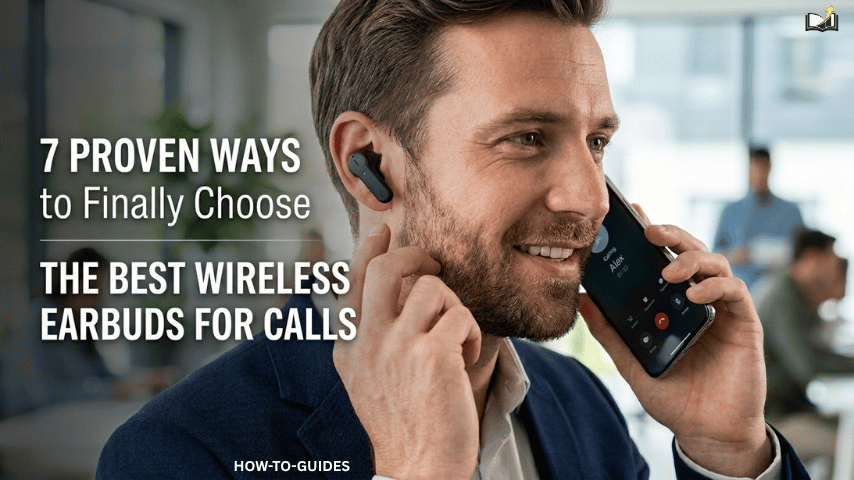
Most people overspend on features they’ll never use, and buy earbuds that fail them. Here’s how to get it right.
Finding the best wireless earbuds for calls sounds straightforward until you’re standing in front of a wall of options, all promising crystal-clear audio, all-day battery, and flawless noise cancellation.
The truth is, most wireless earbuds are designed to sound great during music playback. Very few are genuinely engineered for the specific demands of phone and video calls. Knowing the difference is what separates a satisfying purchase from a frustrating one.
Whether you’re a remote worker who spends hours on Zoom, a commuter who takes calls on the go, or a music lover who refuses to compromise on sound quality, this guide gives you a clear, practical framework for choosing earbuds that truly deliver on both fronts.
You can read more on how-to guides to learn the possible ways of buying the correct earbuds products.
Prioritize Microphone Performance Above Everything Else
Here’s something most reviewers won’t tell you: a pair of earbuds can have stunning audio drivers for music, yet a painfully mediocre microphone for calls. The best wireless earbuds for calls treat microphone technology as a first-class feature, not an afterthought.
Look specifically for earbuds that feature multi-microphone arrays. These systems use two or more microphones working in concert to isolate your voice while filtering out surrounding sound. The result is that the person on the other end hears you clearly, whether you’re in a noisy café or a windy street.
Bone conduction microphones are another powerful option. Rather than picking up sound through the air, they detect the vibrations in your skull when you speak. This means background noise is dramatically reduced at the hardware level, before any software processing kicks in. Brands like Jabra have long championed this approach in their professional-grade earbuds.
Pro Tip
Before buying, search YouTube for real-world microphone tests of your shortlisted model. Marketing language like “HD voice” and “clear calls” rarely tells the full story, but a recorded sample will.
Understand the Two Types of Noise Cancellation
Noise cancellation on wireless earbuds serves two completely different purposes, and conflating them is one of the most common buying mistakes people make. Active Noise Cancellation (ANC) is designed to block outside sound from reaching your ears; it’s about your listening experience.
Environmental Noise Suppression (ENS), on the other hand, is a microphone-side technology designed to prevent background noise from being transmitted to the person you’re calling.
For music lovers and focused listeners, ANC is the priority. For call quality, ENS is critical. The best wireless earbuds for calls and music will feature both, but if your budget is limited, confirm that the earbuds have strong ENS before you worry about how good the ANC is.
“The person on the other end of your call doesn’t care about your ANC. They care about not hearing the coffee shop behind you.”
Match the Codec to Your Primary Device
Audio codecs determine how sound is compressed and transmitted over Bluetooth. This matters far more for music quality than most buyers realize.
If you own an Android device, look for earbuds that support aptX, aptX HD, or LDAC; these codecs deliver significantly higher audio fidelity than the baseline SBC. iPhone users, on the other hand, benefit most from AAC codec support, which Apple prioritizes in iOS.
For calls specifically, codec choice matters less because voice data is relatively low-bandwidth. However, switching between call mode and music mode can sometimes cause audio quality shifts if the earbuds’ Bluetooth profile isn’t well optimized.
Look for earbuds with seamless profile switching between HFP (used for calls) and A2DP (used for high-quality audio streaming).
- LDAC — Highest quality, Sony proprietary, excellent for Android audiophiles
- aptX HD — Near-lossless quality, widely supported on Android
- AAC — Best codec for iPhone users, strong quality over Bluetooth
- SBC — Universal fallback, lower quality, avoid relying on it
Calculate Your Real Battery Needs — Not the Spec Sheet
Battery life figures on spec sheets are almost always measured under optimal conditions: at moderate volume, with ANC disabled, at room temperature.
Real-world usage is different. Earbuds rated for eight hours of playback often deliver five to six hours when ANC is active, and calls are involved, since the extra microphone and processing load drain power faster.
A more reliable way to assess battery performance is to look at the combined system total, the earbuds themselves, plus the charging case. Many of the best wireless earbuds for calls come with cases that deliver an additional 20 to 30 hours, meaning you can recharge on the go without hunting for a wall outlet.
Fast-charging support is increasingly valuable too: a 10-minute charge giving 60 to 90 minutes of playback can be a genuine lifesaver before a critical meeting.
Buyer’s Formula
Estimate your daily usage across calls and music. Multiply by 1.4 to account for real-world power drain. That’s the minimum earbud battery life you should accept. Then check the case adds at least two full recharges on top.
Fit and Comfort Are Non-Negotiable for Long Calls
An earbud that fits perfectly can be worn for three hours during a long workday without a second thought. One that fits poorly becomes unbearable in forty minutes.
This is particularly important if you take extended calls; discomfort becomes a serious productivity problem when you’re trying to stay focused on a conversation.
Most premium earbuds now ship with multiple ear tip sizes in both silicone and foam variants. Foam tips provide a superior acoustic seal (better bass, better passive noise isolation) and tend to be more comfortable for longer sessions.
Silicone tips are easier to clean and stay in place better during exercise. If you’re primarily buying for calls during workouts or commutes, prioritize a secure fit above comfort — the best audio is worthless if the earbud falls out mid-sentence.
It’s also worth checking whether the earbuds have IP ratings for sweat and water resistance, particularly if you’ll be using them during exercise or in unpredictable weather. Look for a minimum rating of IPX4 for light sweat resistance, or IPX5 and above if you’re regularly working out at high intensity.
Test Latency If You Use Video or Monitor Your Voice
Audio latency, the delay between a sound occurring and you hearing it in your earbuds, is largely irrelevant during phone calls, but it becomes highly disruptive in two specific scenarios: video calls where lip sync matters, and any situation where you monitor your own voice while speaking.
Standard Bluetooth SBC can introduce a latency of 150 to 250 milliseconds, which is noticeable during video. Earbuds supporting aptX Low Latency or Bluetooth 5.2 and above typically achieve 40 to 80 milliseconds of latency, which is imperceptible to most people.
If you’re a content creator, podcaster, or frequently on video calls where you watch yourself speak, this is worth actively seeking out.
Quick Check
If your earbuds introduce a slight echo of your own voice during calls, that’s a latency issue with the sidetone feature. Check the companion app — many allow you to adjust or disable sidetone entirely.
Evaluate the Software Ecosystem Before You Commit

The hardware is only half the story with modern wireless earbuds. The companion app and software ecosystem increasingly determine how useful your earbuds actually are in daily life.
The best wireless earbuds for calls typically come with apps that allow deep customization: EQ tuning, call quality settings, touch gesture remapping, and firmware updates that genuinely improve performance over time.
Look for earbuds from brands with active development track records. Some manufacturers release firmware updates that transform a mediocre microphone into a genuinely good one. Others abandon their products shortly after launch.
Check forum discussions and user reviews for evidence of post-launch support before handing over your money. Multipoint connectivity is another software-enabled feature worth prioritizing.
This allows a single pair of earbuds to maintain active connections to two or more devices simultaneously, so you can be listening to music from your laptop and seamlessly take a call that comes in on your phone, without any manual switching. For modern remote workers managing multiple devices, this feature alone is worth paying a premium for.
The Features That Sound Impressive but Rarely Matter
Not every headline feature translates to real-world value. Spatial audio is exciting for immersive entertainment, but has no practical impact on call quality.
Heart rate monitoring built into earbuds is consistently less accurate than a dedicated fitness tracker. Transparency mode, useful for safely hearing your environment, is genuinely valuable but rarely justifies a significant price premium on its own.
Focus your budget on the fundamentals: microphone quality, noise suppression, fit, battery life, and codec support. These factors determine whether your earbuds serve you well every day. The extras are nice to have, but they shouldn’t come at the expense of the basics.
The Bottom Line
The market for wireless earbuds has never been more competitive, which is good news for buyers, but only if you know what to look for. The best wireless earbuds for calls are those that treat communication as a first priority, not a secondary feature bolted on to a music device.
Start with microphone performance and environmental noise suppression. Verify battery life against your actual usage patterns. Confirm codec support matches your devices. Then and only then, look at the extra features that distinguish one model from another.
Do that, and you won’t just buy good earbuds. You’ll buy the right earbuds, the pair that makes every call clearer, every playlist richer, and every day a little less frustrating.